
How "Fallthrough Attributes" work in Vue3 (feat. v-if)
What is “Fallthrough Attributes”?
Vue3에서 Fallthrough attributes(이하 폴스루 속성)은 “컴포넌트에 전달되지만 받는 컴포넌트의 props나 emits에 명시적으로 선언되지 않은 속성이나 v-on 이벤트 리스너를 말한다. 일반적인 예시로는 class, style, id 속성들이 있다.” ( A "fallthrough attribute" is an attribute or v-on event listener that is passed to a component, but is not explicitly declared in the receiving component's props or emits. Common examples of this include class, style, and id attributes. ) 자세한 설명은 vue3 공식 문서 링크를 참고하고, 간단한 코드로 가볍게 이해해보자.
다음과 같이 Foo1 라는 컴포넌트가 있을 때,
<template>  <Foo1 status="draft" /></template>
// Foo1.vue<template>  <span>hello</span></template>
<script setup>const props = defineProps({ label: String,});console.log('props', props); // { label: undefined } (no status!)</script>Foo1의 caller에서 선언되지 않은 속성들은 props에 들어오지 않는 것이 기본 동작이다. 하지만, class, style, id 등은 굳이 defineProps에 선언되지 않았더라도 caller에서 넘겨준 값이 반영된다는 것이다. 단, single root node component일 때만!
그럼 multiple root node component일 때는 어떨까? 공식 문서에 따르면, 명시적으로 $attrs를 넘기지 않으면 속성 폴스루가 동작하지 않는다. ( Unlike components with a single root node, components with multiple root nodes do not have an automatic attribute fallthrough behavior. If $attrs are not bound explicitly, a runtime warning will be issued. )
그렇다면 여기서 꼬리를 무는 질문 (i.e. 이 글을 쓴 목적!)
template에선 multiple root node를 가지지만, 실제 런타임엔 하나의 node만 렌더링 된다면?
구체적으로, template 내부에서 v-if/v-else-if 등을 이용해 여러 개의 노드가 존재하긴 하지만, 실제로 그려지는 노드가 하나일 수 밖에 없는 상황에서 Vue3의 폴스루 속성은 어떻게 동작할까? 이 내용은 Vue3 공식 문서에서 다루고 있지 않아 직접 코드를 짜서 실험했고, 이를 공유한다.
다음 Foo2 컴포넌트 코드를 보자.
<template>  <Foo2 class="olaf" /></template>
// Foo2.vue<template>  <span v-if="true">hello</span>  <span v-else>world</span></template>
위 코드는 속성 폴스루가 정상적으로 동작한다.
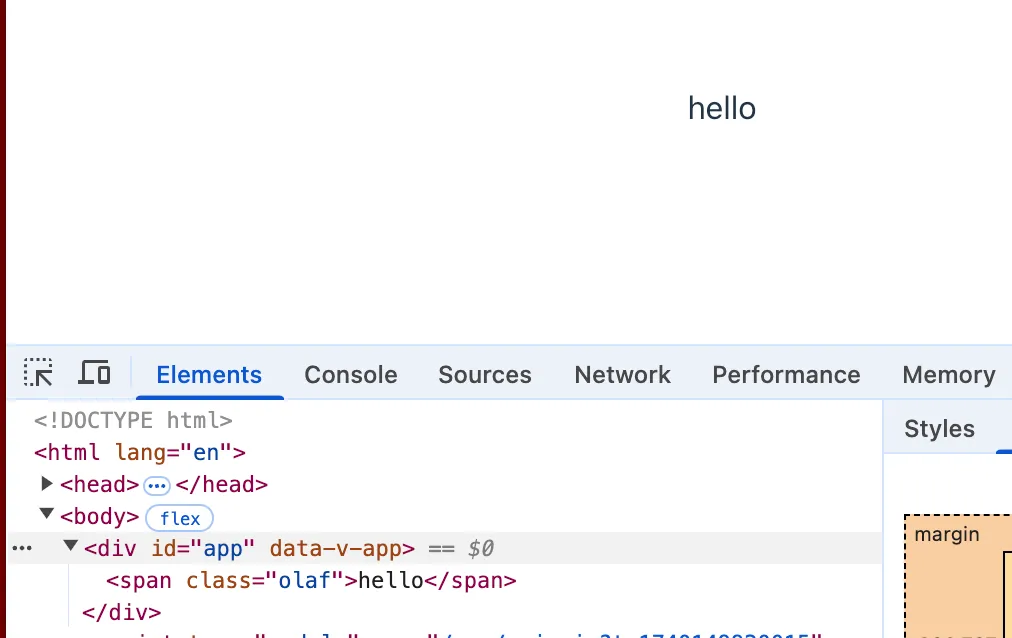
덧붙여, v-if="false"로 바꾸는 경우에도 “world” 가 출력되지만 class=”olaf” 는 정상적으로 폴스루 된다.
이번에는 한 번 꼬아서, 다음 Foo3 컴포넌트 코드를 보자.
<template>  <Foo3 class="olaf" /></template>
// Foo3.vue<template>  <span v-if="true">hello</span>  <template v-else>    <span v-if="true">olaf</span>    <span v-else>world</span>  </template></template>
위 코드는 어떨까?
class=”olaf”는 정상적으로 hello에 폴스루되어 <span class=”olaf”>hello</span>이 출력된다.
이번에는 (마지막이다) 한 번 더 꼬아서, 다음 Foo4 컴포넌트 코드를 보자.
<template>  <Foo4 class="olaf" /></template>
// Foo4.vue<template>  <span v-if="false">hello</span>  <template v-else>    <span v-if="true">olaf</span>    <span v-else>world</span>  </template></template>
위 코드는 어떨까?
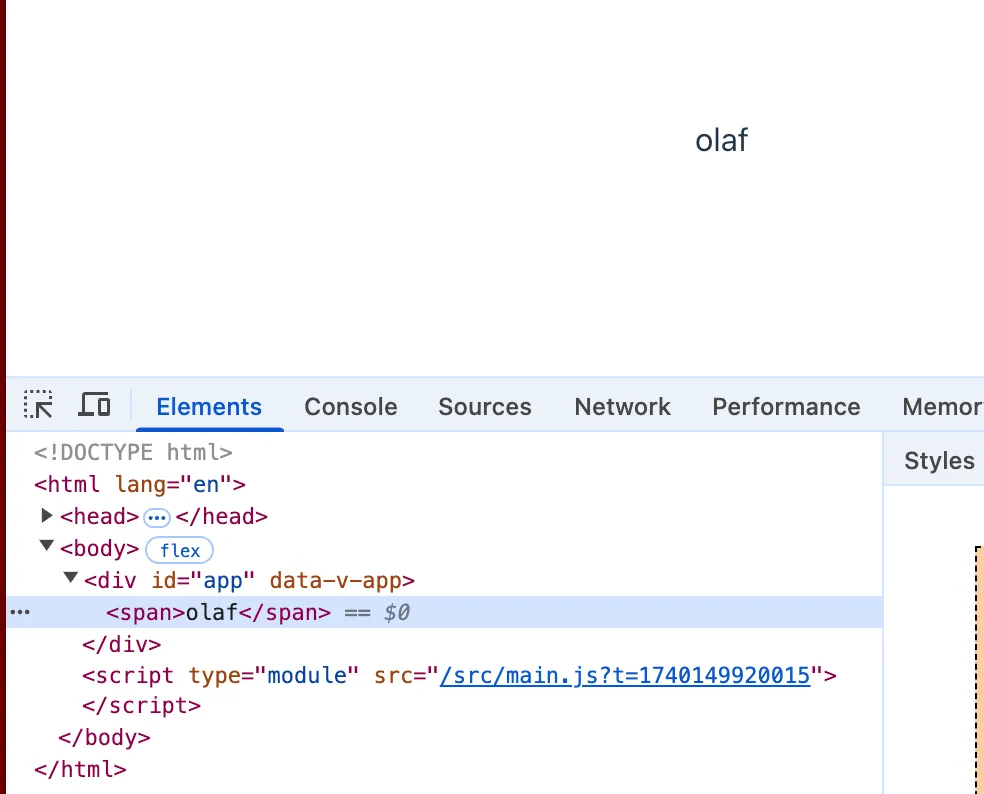
여기서는 속성 폴스루가 동작하지 않는다.
vue3의 런타임까지 살펴보진 않았지만, 최근 vue3의 ast를 조작하면서 알게된 지식을 바탕으로 추측하자면:
-
속성 폴스루는 node(i.e. child)에 대해서만 동작한다.
-
<template v-if>는 node(i.e. child)가 아닌 branch로 취급된다.
-
따라서 branch는 node가 아니므로 template에 대해는 폴스루 할 수 없다. (설령 그 template이 항상 single root node를 가진다고 하더라도)
위 1,2,3을 이유로 Foo4.vue 코드에서 속성 폴스루는 동작하지 않는다.
맺음말
설명을 위해 Foo3.vue와 Foo4.vue 컴포넌트를 각각 별개의 컴포넌트로 보여줬지만, 사실 이 둘은 같은 컴포넌트이고, 어떨 때에는 속성 폴스루가 동작하지만, 어떤 경우에는 동작하지 않는 것을 발견했다. 재현하기 힘들어서 헤매던 차에 위와 같은 실험을 통해 폴스루가 동작하지 않는 edge case를 찾았고, 이를 공유한다.